AI Advertising Platform Comparison: How to Choose the Right Workflow
Soldy Team·July 15, 2026·7 min read
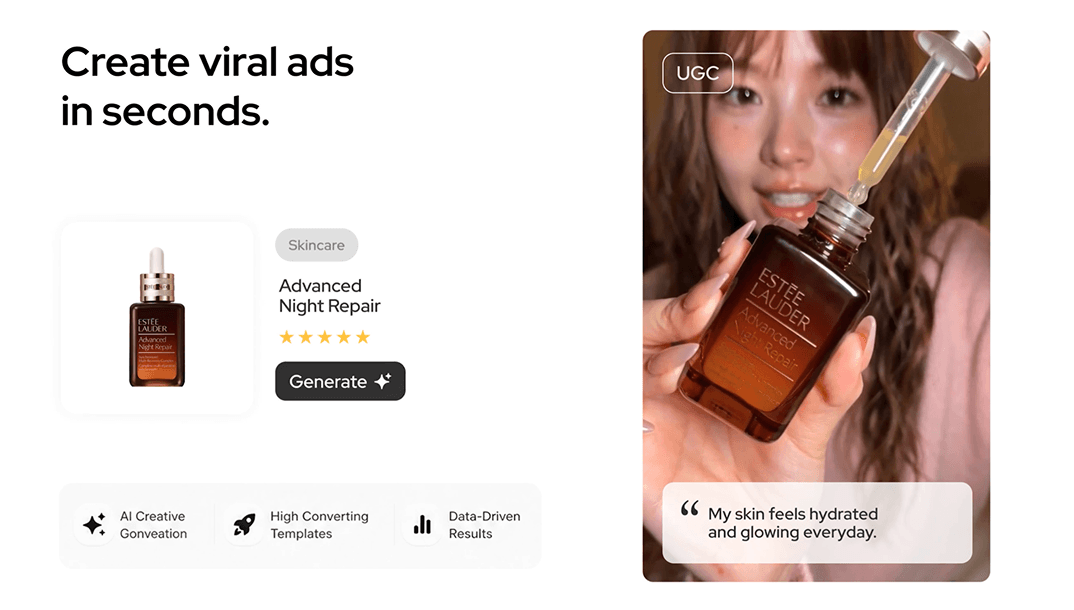
The phrase "AI advertising platform" hides a problem: many tools in the category do completely different jobs. One helps you write hooks. One makes avatars. One analyzes competitors. One automates media spend.
An AI advertising platform is a system that uses AI to support one or more parts of the advertising workflow: research, creative planning, asset generation, testing, optimization, or reporting. Choosing one starts with knowing which part of the workflow is broken.
Map the Workflow Before Comparing Tools
Most teams compare features too early. They ask which tool has the most models, templates, or exports. A better first question is: where are we slow?
- Research is slow.
- Brief writing is inconsistent.
- Production is expensive.
- Variants are hard to manage.
- Performance learnings do not return to creative.
- Budget decisions are reactive.
Think of this like buying software for a factory. A better paint machine will not fix a broken supply chain. An AI advertising platform helps only if it addresses the bottleneck.
Five Platform Types
Creative intelligence platforms
These help teams analyze ads, extract patterns, and turn research into briefs.
Product video generators
These help teams create videos from product assets, references, or structured modes.
Avatar and UGC tools
These produce presenter-led or creator-style videos, often from scripts.
Image and design generators
These create static ad variants, product visuals, and campaign images.
Media automation platforms
These help with bidding, budget pacing, reporting, and optimization.
What to Compare
Input quality
Can the platform use product photos, URLs, brand context, scripts, or competitor references?
Output control
Can the team control channel, aspect ratio, duration, hook, proof, and visual direction?
Learning loop
Can performance insights feed the next creative round?
Brand safety
Can the tool preserve product accuracy, avoid unsupported claims, and respect brand constraints?
Team workflow
Can multiple people review, revise, and organize variants?
How to Benchmark Platforms Fairly
A fair comparison starts with one shared scenario. Pick a real product, one channel, one buyer problem, and one asset type. Then test each platform against that same scenario. If one platform receives a detailed brief and another receives a vague prompt, the result says more about your inputs than the tool.
The benchmark should include at least three moments: first output, revision, and handoff. First output shows whether the platform can understand the assignment. Revision shows whether it can follow creative direction. Handoff shows whether the team can actually use the asset, export, script, or brief without rebuilding everything manually.
Think of this like test-driving cars on the same road. A sports car, van, and compact commuter may all feel good in different conditions. The test only becomes meaningful when the route matches the job. For advertising platforms, the "road" is your workflow: research, brief, generation, review, launch, and learning.
Use a scorecard with plain criteria: product accuracy, channel fit, editing control, brand safety, learning loop, and total time to usable output. Avoid vague scores like "cool" or "innovative." They make demos feel exciting but do not help the team choose a system.
One more benchmark is support for evidence. A platform that helps the team connect research patterns to briefs can be more valuable than a generator that only produces attractive assets. Creative teams need to know why an idea exists, what buyer problem it addresses, and how the next test should be judged.
Where Soldy Sits in the Category
Soldy is best understood as a product-led creative workflow rather than a generic AI media platform. Its strongest fit is turning product inputs and creative direction into short ad variants, especially when a team wants to connect research, hooks, and product proof.
That means it should be compared with tools such as Creatify, HeyGen, Pencil, Synthesia, and Arcads by job, not by feature count. If your main problem is corporate training videos, a different tool may fit. If your main problem is product ad creative, Soldy's comparison pages are a more useful place to start.
Selection Framework
Bottleneck
Do not buy a generator if your real problem is research or measurement.
Output type
Decide whether you need product video, avatar content, image ads, scripts, or reports.
Benchmark brief
Use the same brief across tools and compare product accuracy, usefulness, and revision speed.
Handoff quality
The tool should fit how creative, media, and growth teams already work.
Learning loop
Ask how the platform helps you improve the next ad, not just make the first one.
Questions to Ask During a Demo
During a platform demo, ask the vendor to use your product category rather than a polished sample. A canned demo can hide weak input handling, poor revision control, or generic strategy. A real category forces the tool to show how it handles ambiguity.
Ask three practical questions. What happens when the product image is imperfect? How does the platform preserve the original brief after two revision rounds? Can the team export or organize variants in a way that matches the launch workflow? These questions reveal day-to-day fit faster than a feature checklist.
Also ask how the tool supports learning after launch. If performance data, creative labels, and next-round briefs stay disconnected, the team may still move quickly, but it will not learn systematically. A strong platform should help the creative system improve over time, not only produce more files.
End the demo by asking which part of the workflow the tool does not cover. A clear limitation is useful. It helps the team plan handoffs instead of assuming one platform will solve research, production, media buying, and reporting at once.
FAQ
What is an AI advertising platform?
It is software that uses AI to support advertising tasks such as research, creative production, personalization, media optimization, or reporting.
Is an AI advertising platform the same as an ad generator?
No. An ad generator creates assets. A platform may include research, planning, generation, collaboration, analytics, and optimization.
Which AI advertising platform is best?
The best platform depends on the bottleneck. Product brands may prioritize product video and creative intelligence, while enterprise teams may prioritize avatars, localization, or analytics.
Should I use one platform or several tools?
Many teams use several tools. The key is having a clear workflow so research, generation, and performance learning do not become disconnected.
How should I evaluate AI ad quality?
Evaluate product accuracy, hook strength, proof clarity, channel fit, brand fit, and whether the output can be tied to a measurable hypothesis.
Conclusion
An AI advertising platform is not a magic category. It is a workflow choice. Map your bottleneck, choose the right output type, and test tools with real briefs. If product-led video ads are the bottleneck, start with Soldy Marketing Studio.
Useful sources for this topic include Meta's Ads Library, TikTok Creative Center, Google Ads AI essentials, and Meta Advantage+ creative documentation. Check the source directly before citing exact product behavior, because ad platform UI labels change often.
Ready to Create with Marketing Studio?
Drop a link, photo, or PDF — get a cinematic video ad in minutes.
Generate My First Ad